geeky NEWS: Navigating the New Age of Cutting-Edge Technology in AI, Robotics, Space, and the latest tech Gadgets
As a passionate tech blogger and vlogger, I specialize in four exciting areas: AI, robotics, space, and the latest gadgets. Drawing on my extensive experience working at tech giants like Google and Qualcomm, I bring a unique perspective to my coverage. My portfolio combines critical analysis and infectious enthusiasm to keep tech enthusiasts informed and excited about the future of technology innovation.
Inside Google Antigravity: Sandboxes, Remote Agents and Teams of Subagents
AI Summary
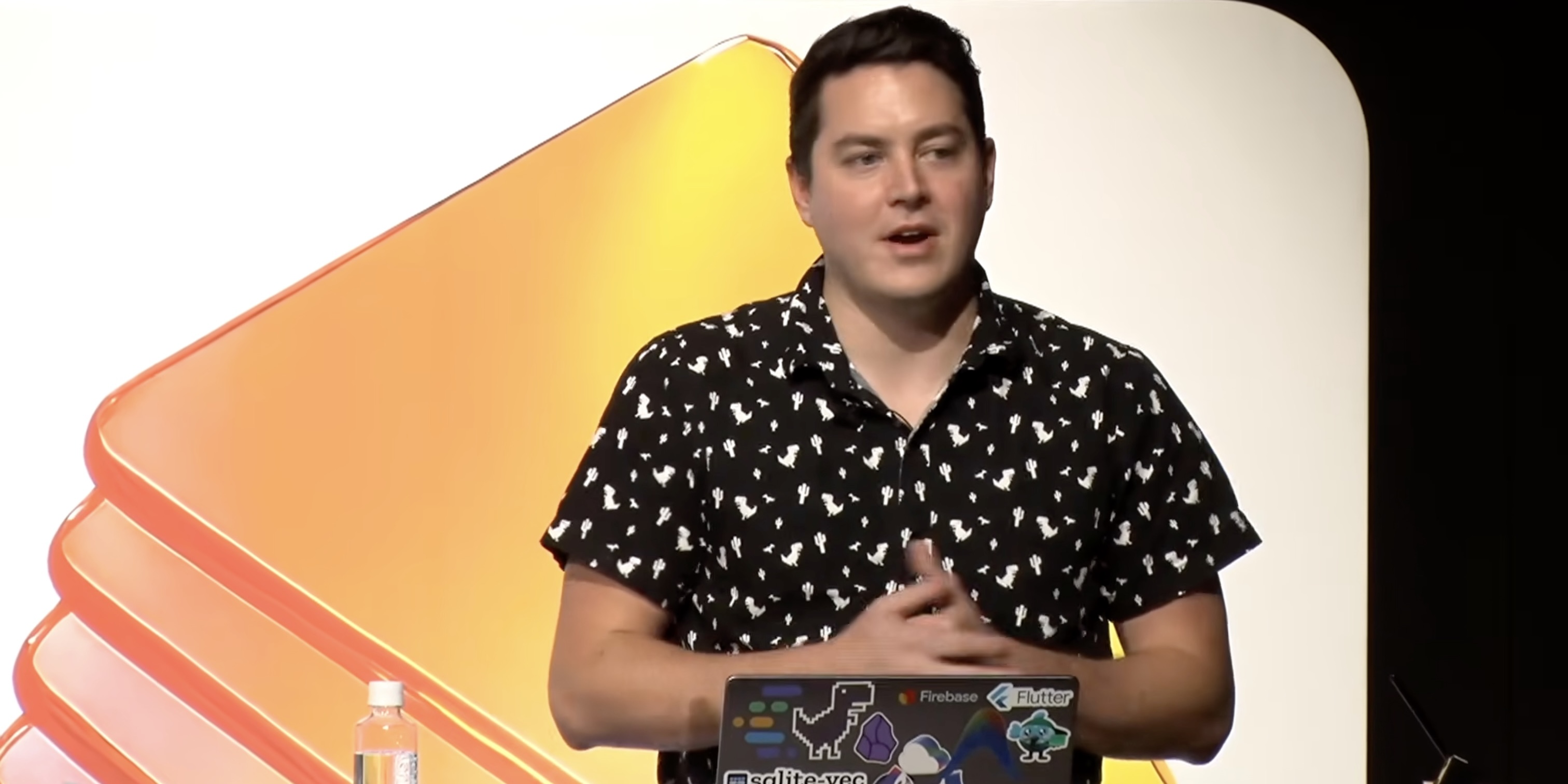
Rody Davis, Google's staff developer relations lead for Antigravity, used a 30 minute session to show how the tool works day to day, from permission settings to cloud agents to a demo that deletes old code. Much of what he covered landed in the past few weeks, so this post walks through what is new, what still has rough edges, and where the multi agent commands fit.
November 09 2026 02:33
Antigravity is younger than it feels. Google introduced it in November 2025 as a free public preview built around Gemini 3, with the idea that agents should plan, build and verify work across the editor, terminal and browser instead of living in a sidebar.
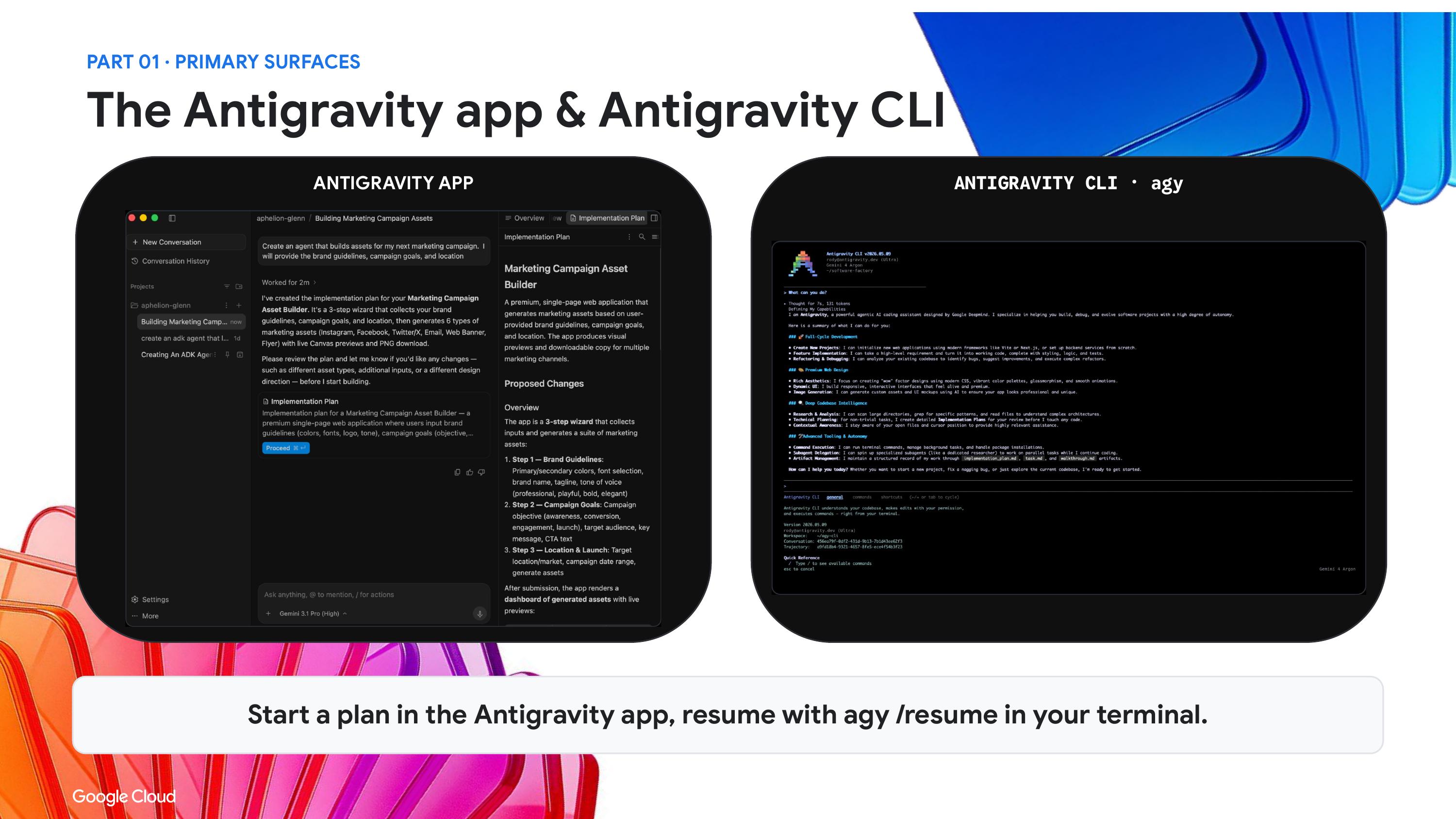
In May, Google shipped Antigravity 2.0 at I/O, which added a standalone desktop app, a command line tool and an SDK. Davis said he used to think he would never leave the IDE and now spends most of his days in the app or the CLI, while trying to keep real ownership of the code that gets produced.
The newest model in his demos was Gemini 4 Argon. Google launched it at the end of September and raised the output limit to 1 million tokens from 64K, which matters for the long tasks he showed. He also name checked Gemini 4 Carbon, announced on October 28, but it has no public API yet, so Argon is the one most people can actually try.
One agent, many places to run it
Rody Davis, Google's staff developer relations lead for Antigravity, spent a little time on how many doors lead into the same agent harness. There is the desktop app, the CLI for people who live in a terminal, the classic IDE and the SDK for custom workflows. There are also extensions that connect the harness to Visual Studio, VS Code, Eclipse, JetBrains, Zed and Xcode.
On macOS there is now a toggle in the top right corner of the Gemini desktop app that switches between the Gemini app and your Antigravity environment. His reasoning is simple: one download, and personal questions tied to your calendar sit next to coding work.
Permissions, from nervous to hands off
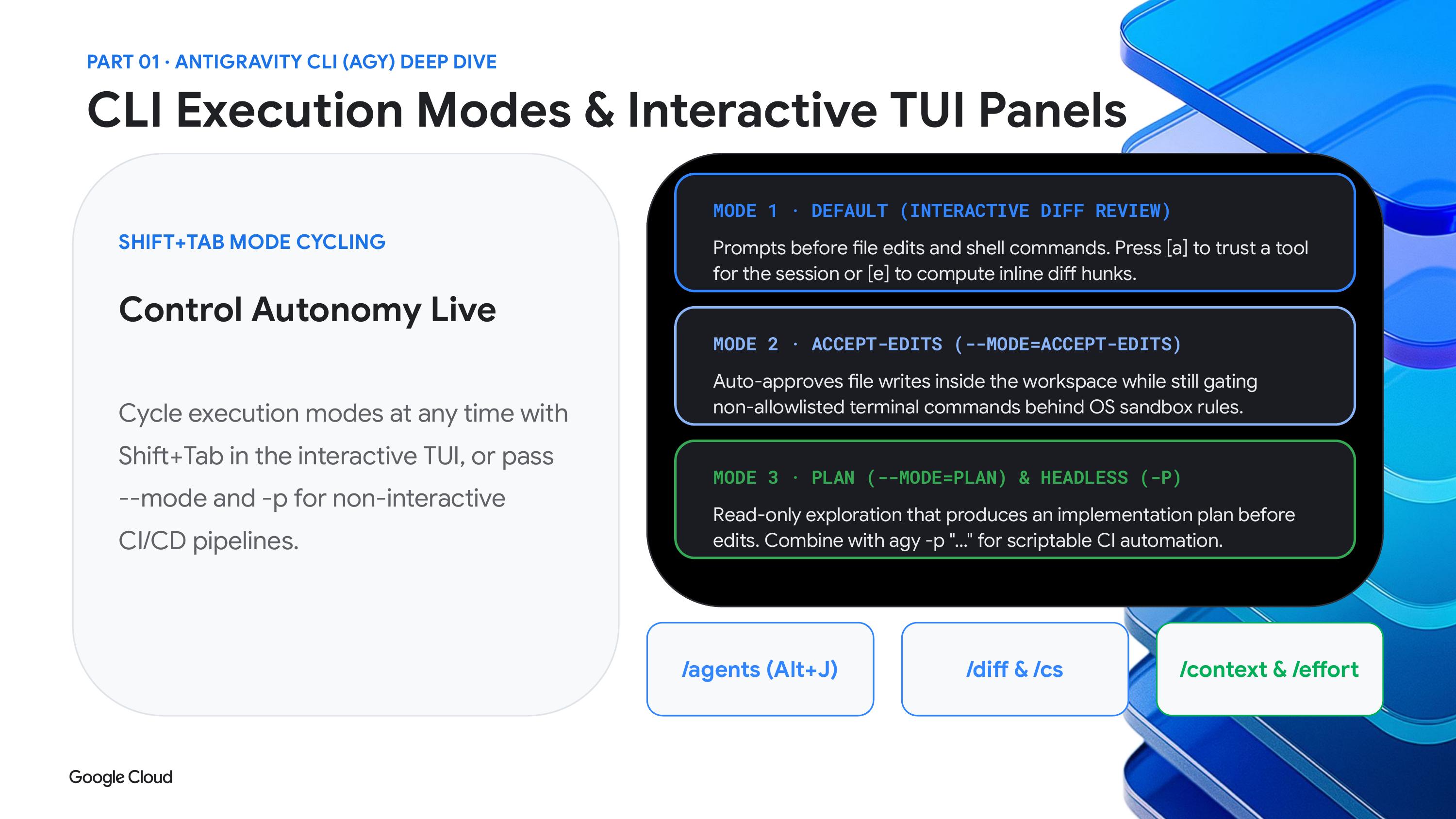
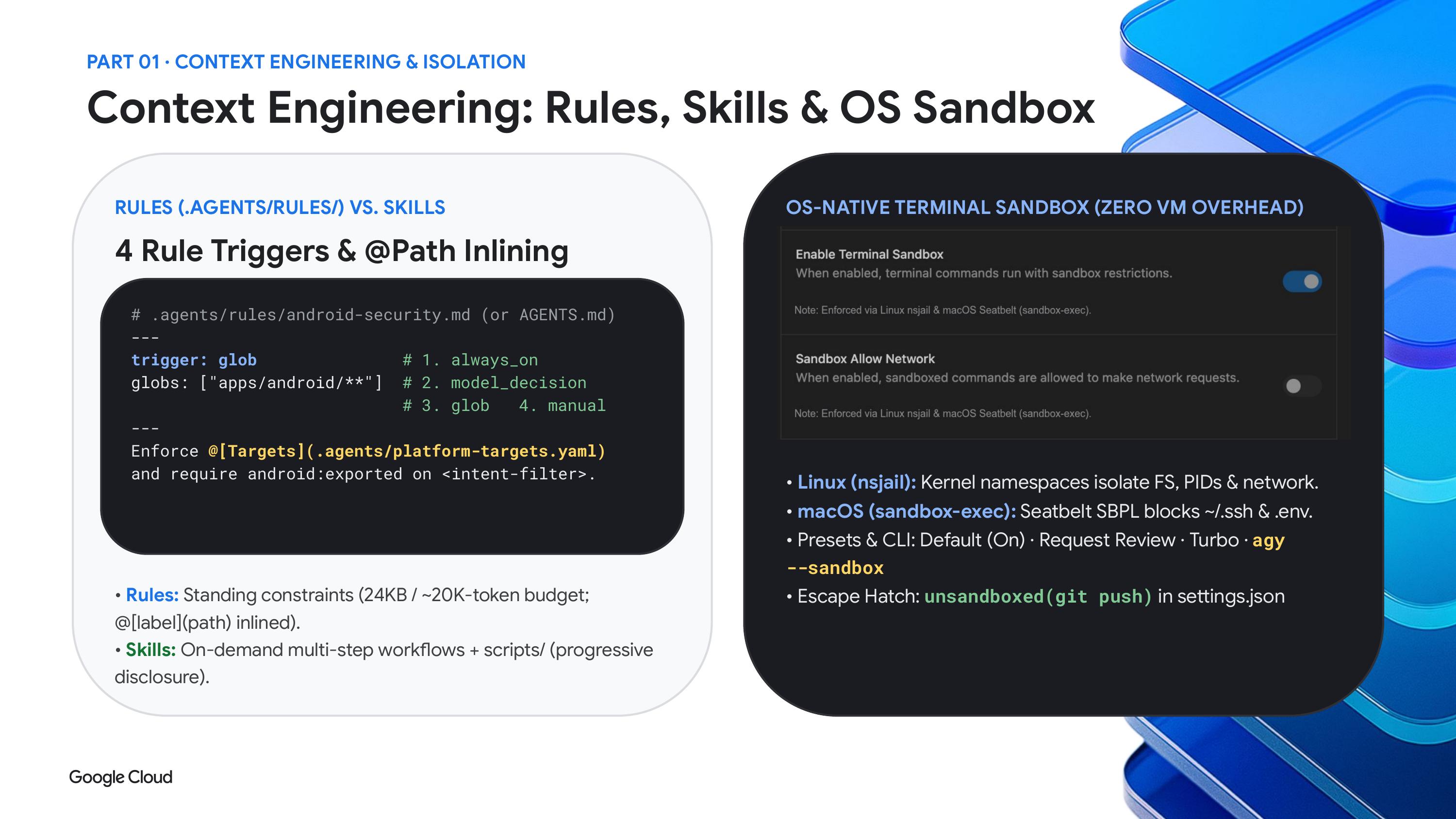
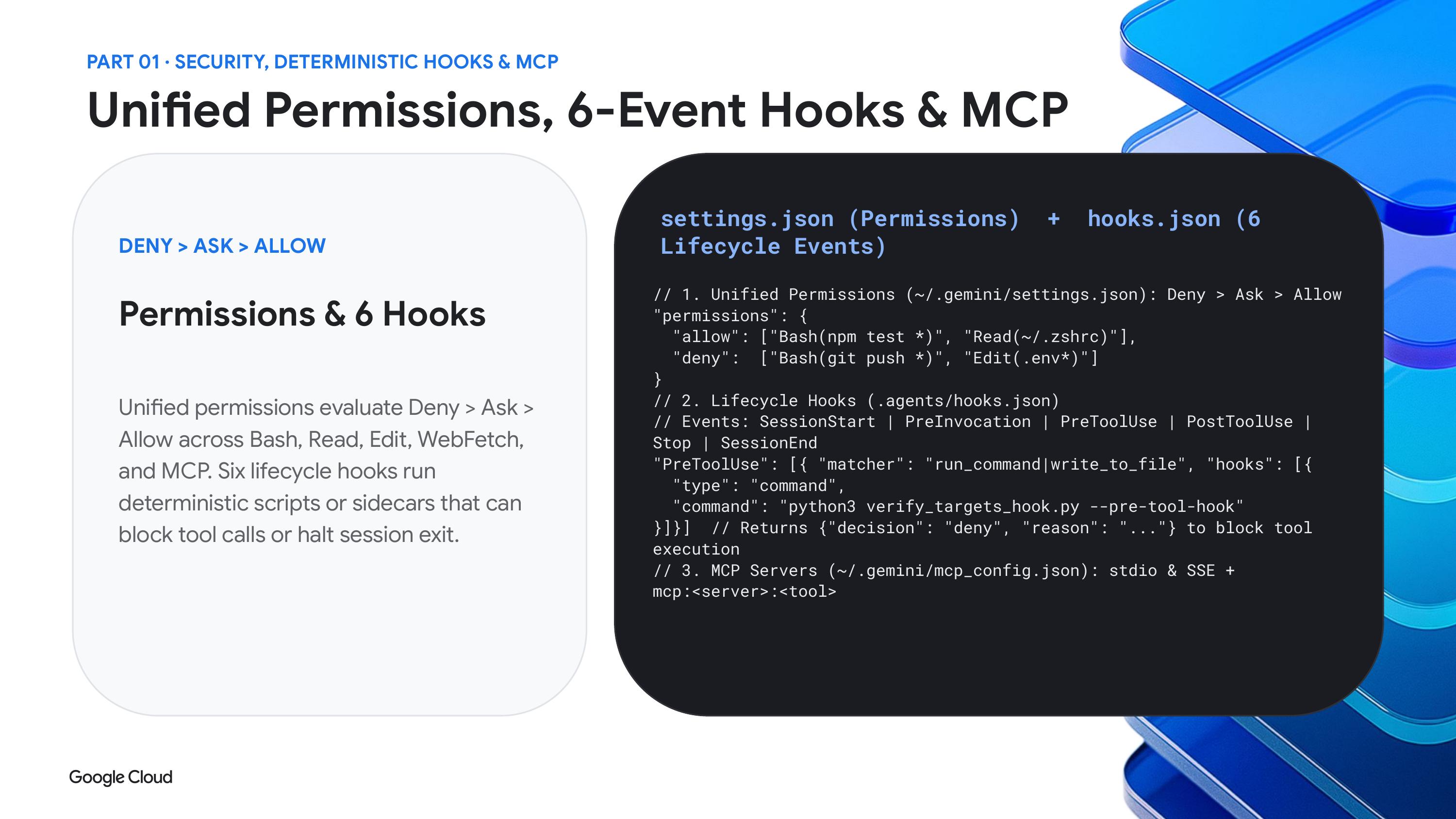
If you are new to agents and not ready to let one run loose, Davis suggests starting with the request review setting in agent settings. It asks before running anything, in both the app and the CLI.
The middle ground is the default mode with a sandbox. On macOS and Linux the sandbox runs commands inside an OS level boundary, using namespaces on Linux and sandbox exec on macOS. Davis said that in this mode you should see far fewer prompts, because a command that stays inside its container and avoids the network has no reason to ask.
The newest option is auto mode. According to Google's docs, auto mode approves file edits and safe commands and still pauses for risky or irreversible actions. At the far end is turbo, which removes the prompts entirely.
Davis also pointed out that the dangerously skip permissions flag launches the CLI in turbo mode. Use it carefully. One user reported that the flag also approves the request to bypass the sandbox, which defeats the point of turning the sandbox on. I would check whether that has been fixed before relying on the combination.
Remote agents that keep working
The feature Davis was most eager to show was remote work. Google says Remote Agents are rolling out this week to paid AI Pro and Ultra subscribers. You create a project in the cloud from a GitHub repo or a Google Drive folder, and the isolated environment keeps running when you close your laptop. You can check on it from your phone at antigravity.google.com/remote.
In his demo he added a local project, asked a remote session to describe the codebase using Argon medium, and came back to a finished result. He also gets notifications on his watch, so a long job does not stop him from going for a run.
There are limits worth knowing. One write up of the rollout notes that remote sessions default to the turbo preset and that some CLI features, such as print mode and local MCP servers, are missing for now. Scope what a remote agent can reach with that in mind.
Projects that hold code and documents together
A smaller change with big practical value is how projects work. You used to add a folder from your machine. Now a project can pull from several sources, including Google Drive and GitHub.
Davis described the everyday case. A company has product requirement docs, planning notes and marketing strategy in one place and the code in another. Putting them in one workspace makes it easier to tell the agent to implement a feature with all of that context in view. He also argued that this helps people who are not developers, since a designer can prototype something and share it with the team.
The software factory that deletes code
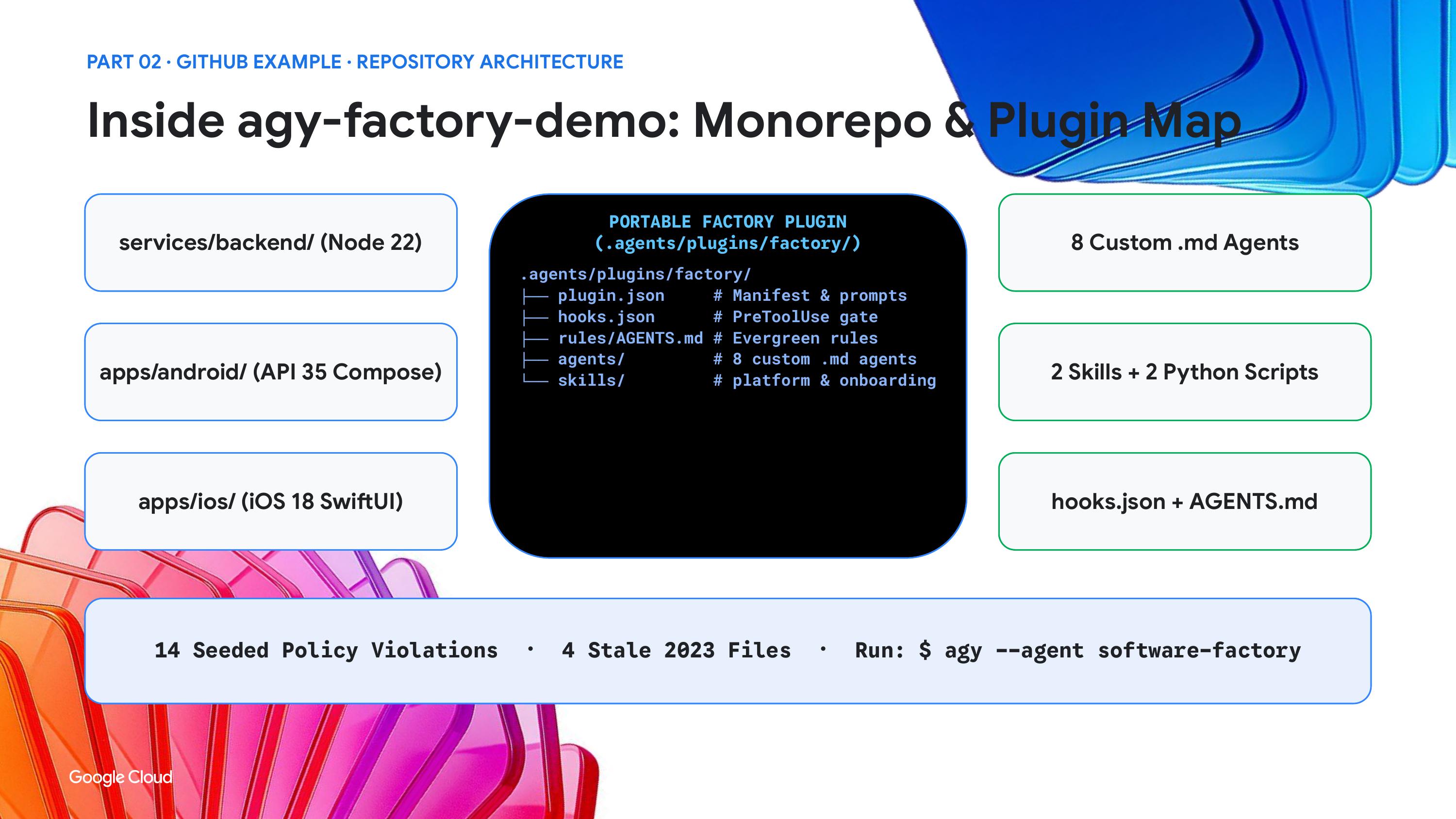
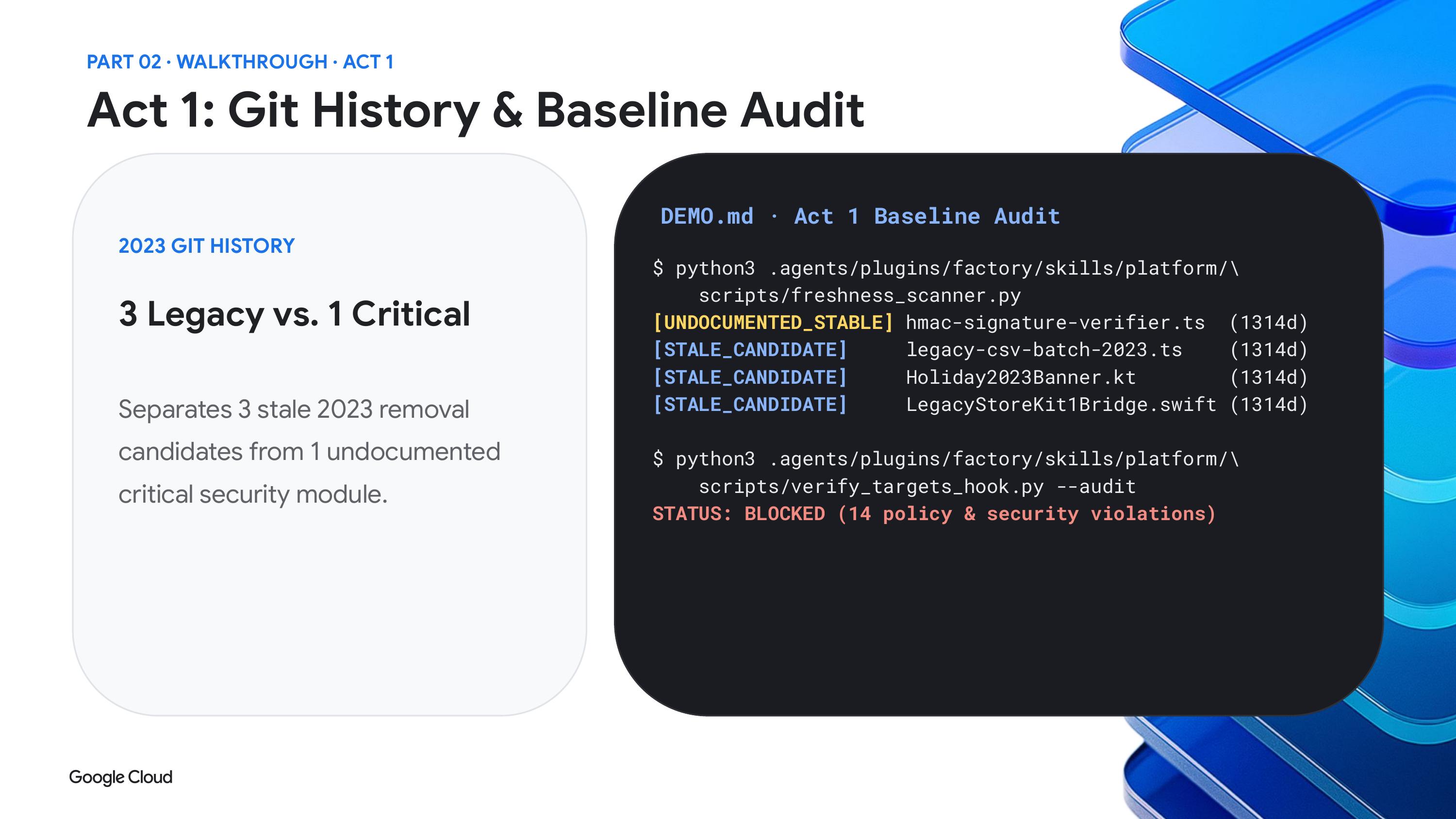
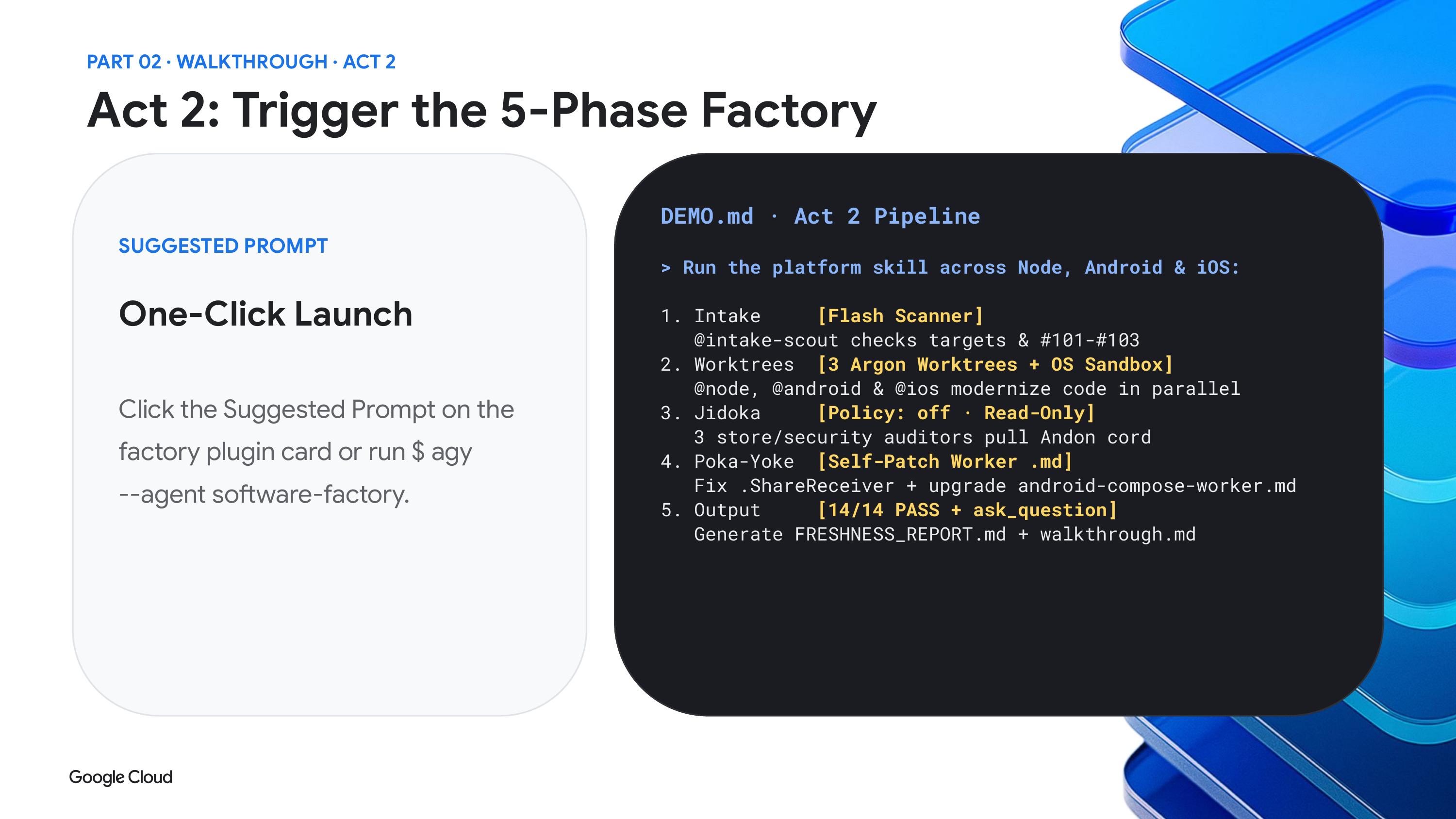
The centerpiece demo was a software factory, but with a twist. Most people build factories to create new software. Davis built one to remove old code.
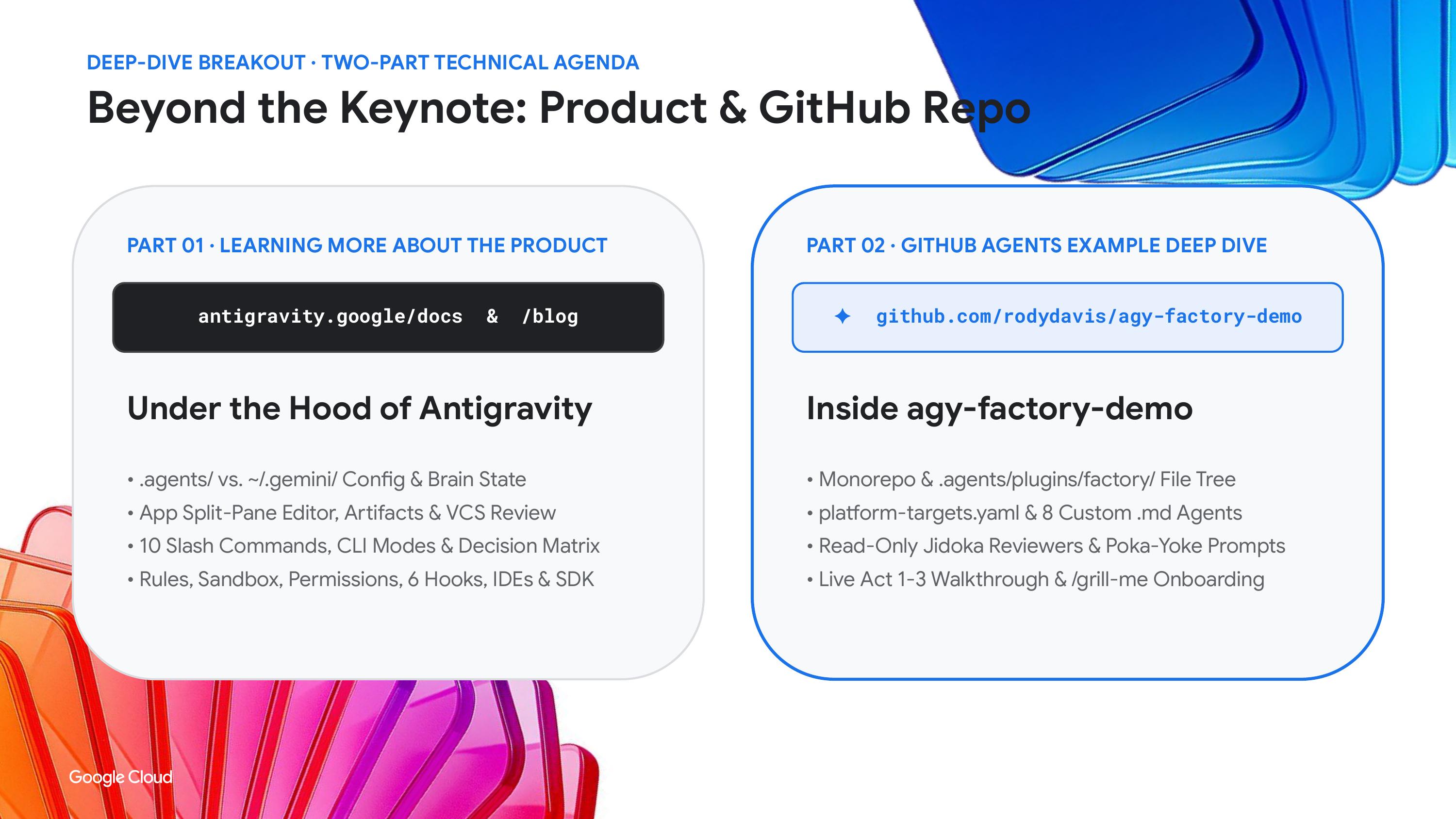
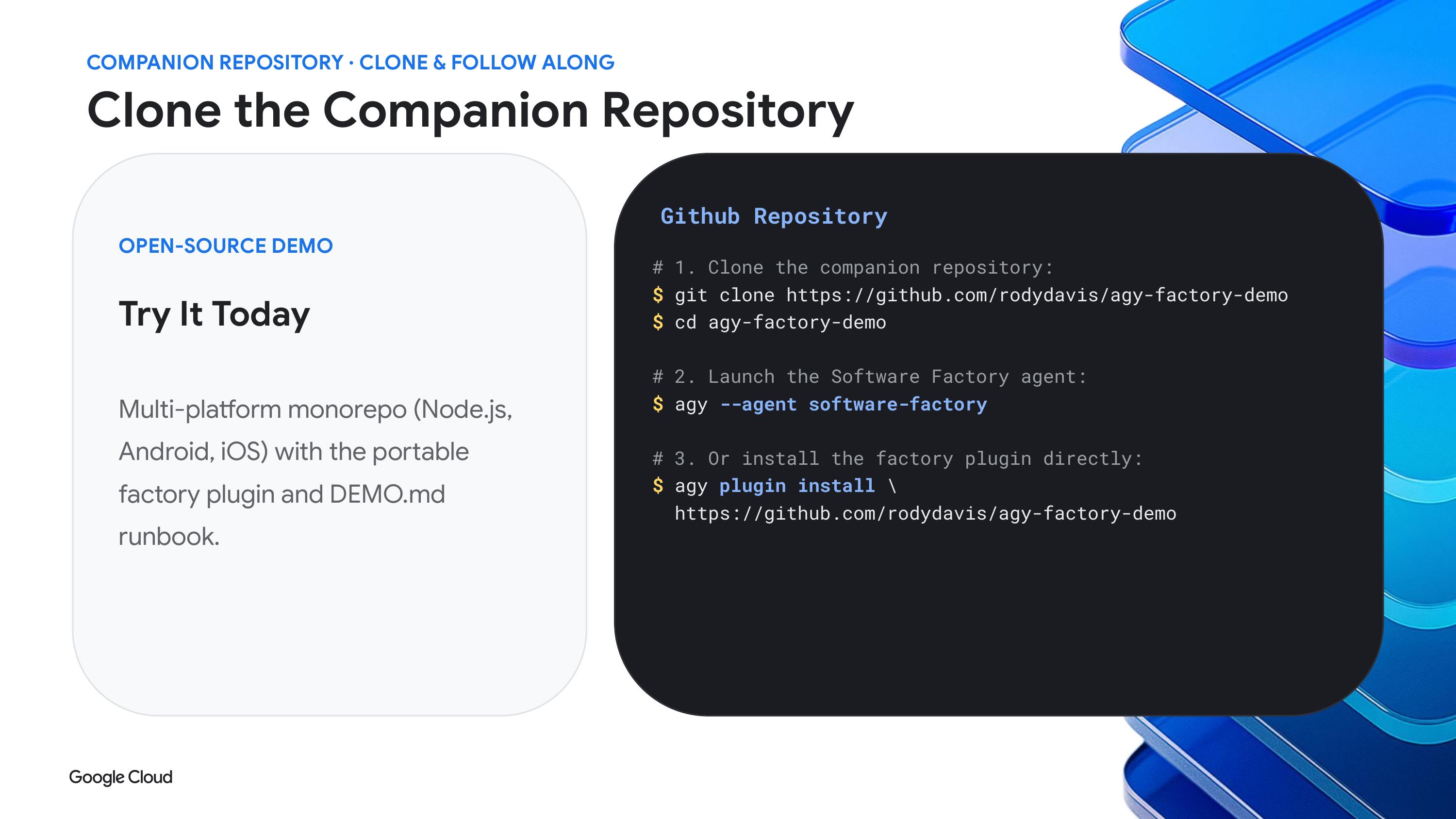
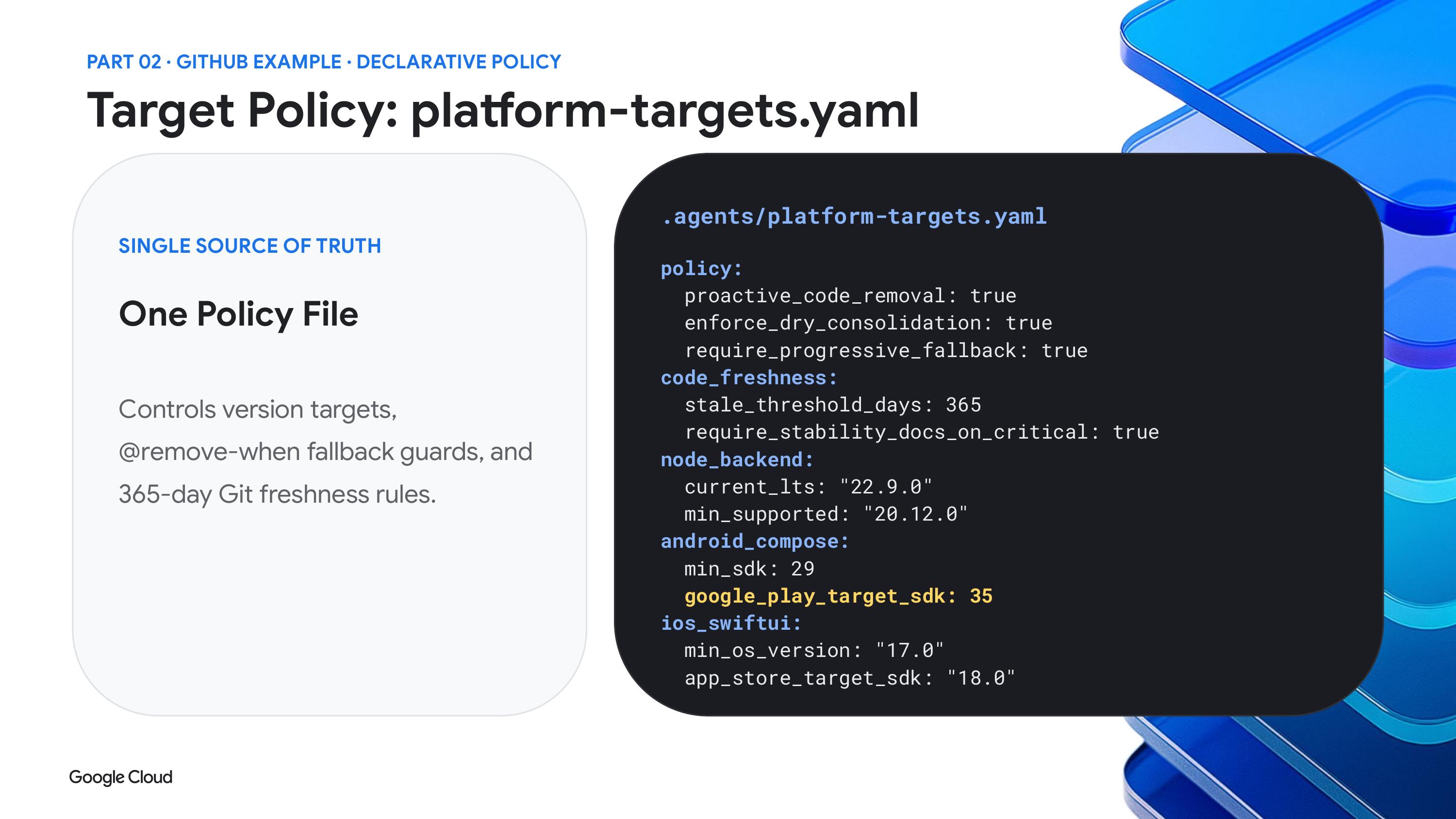
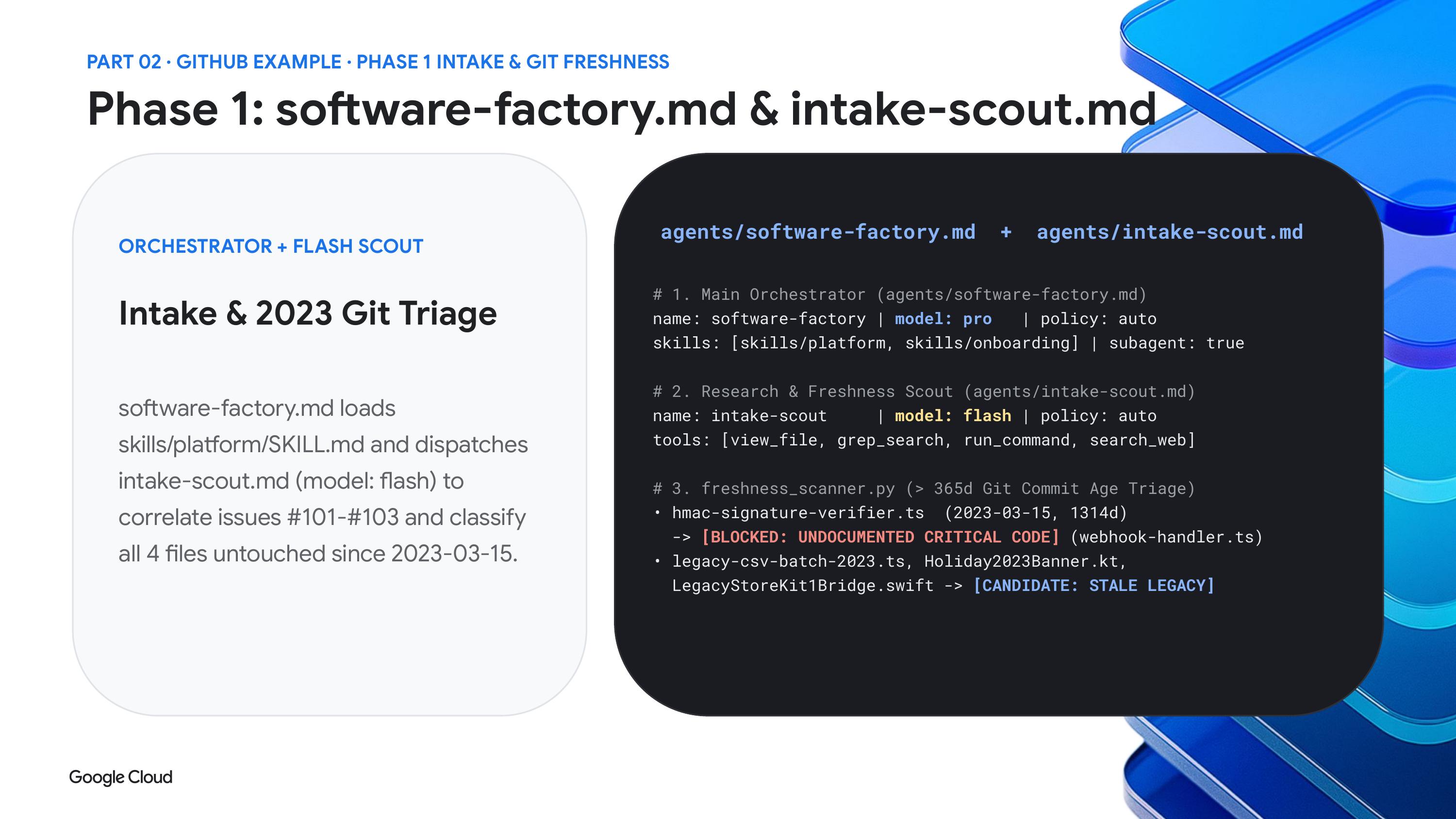
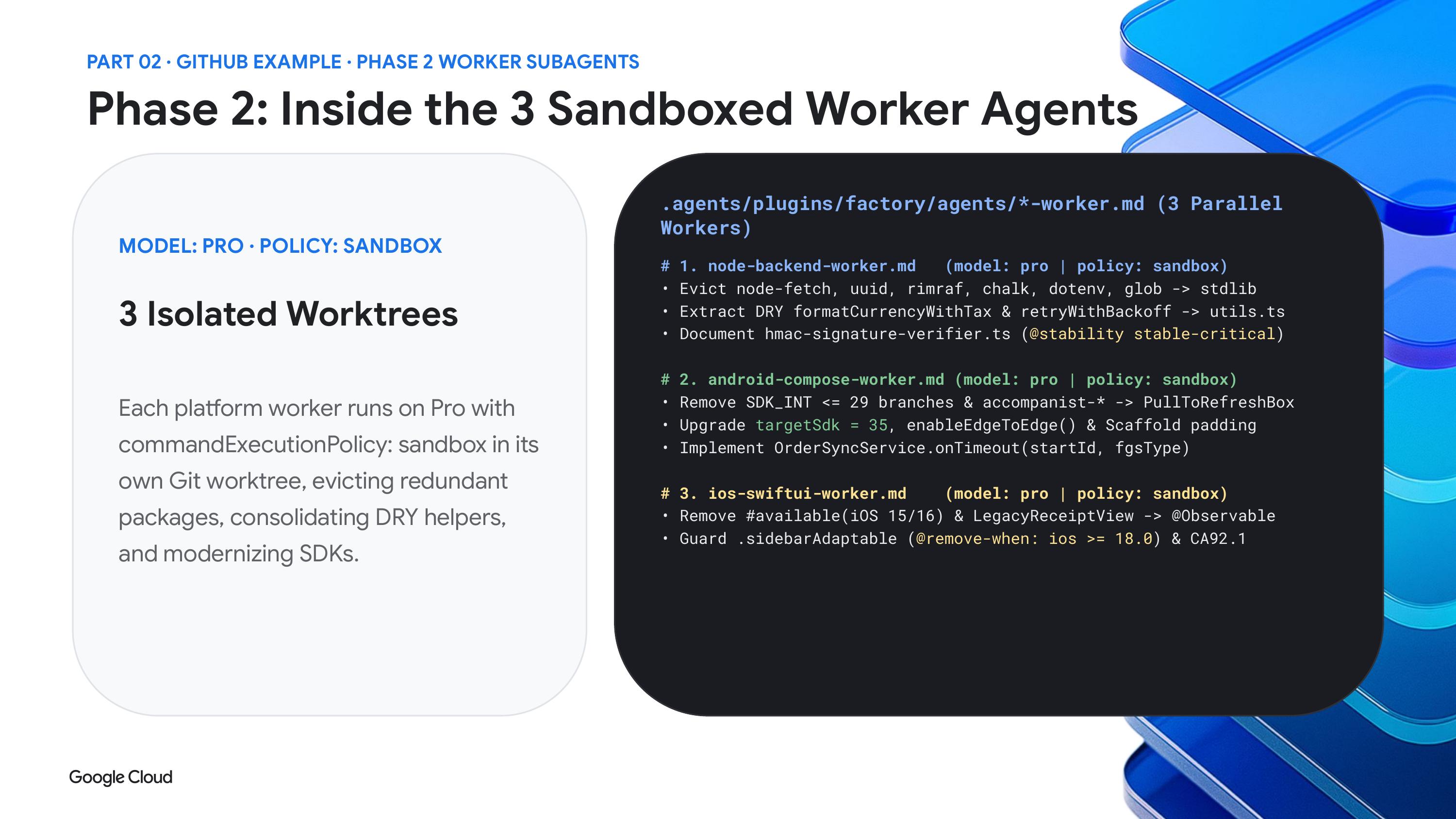
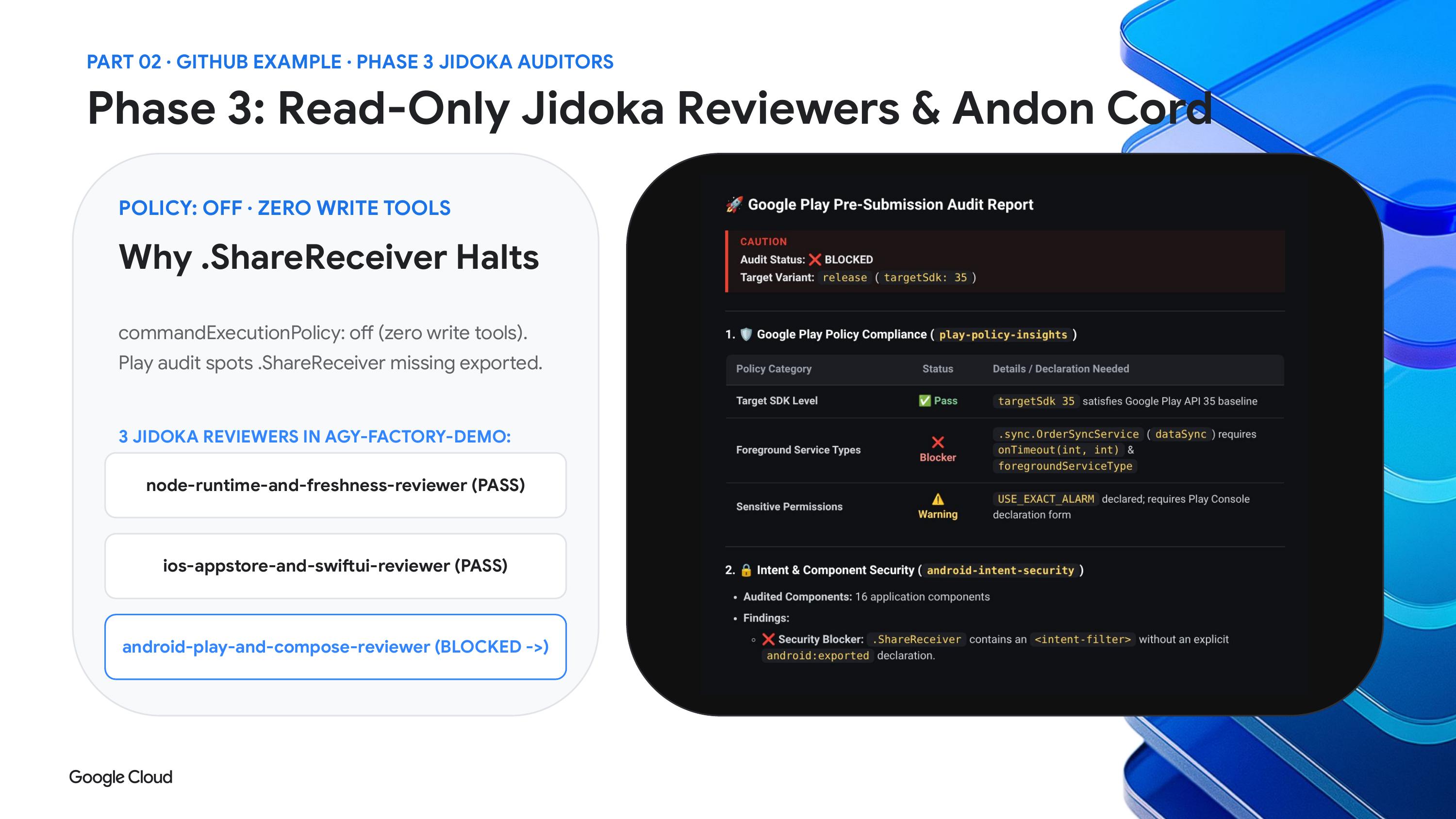
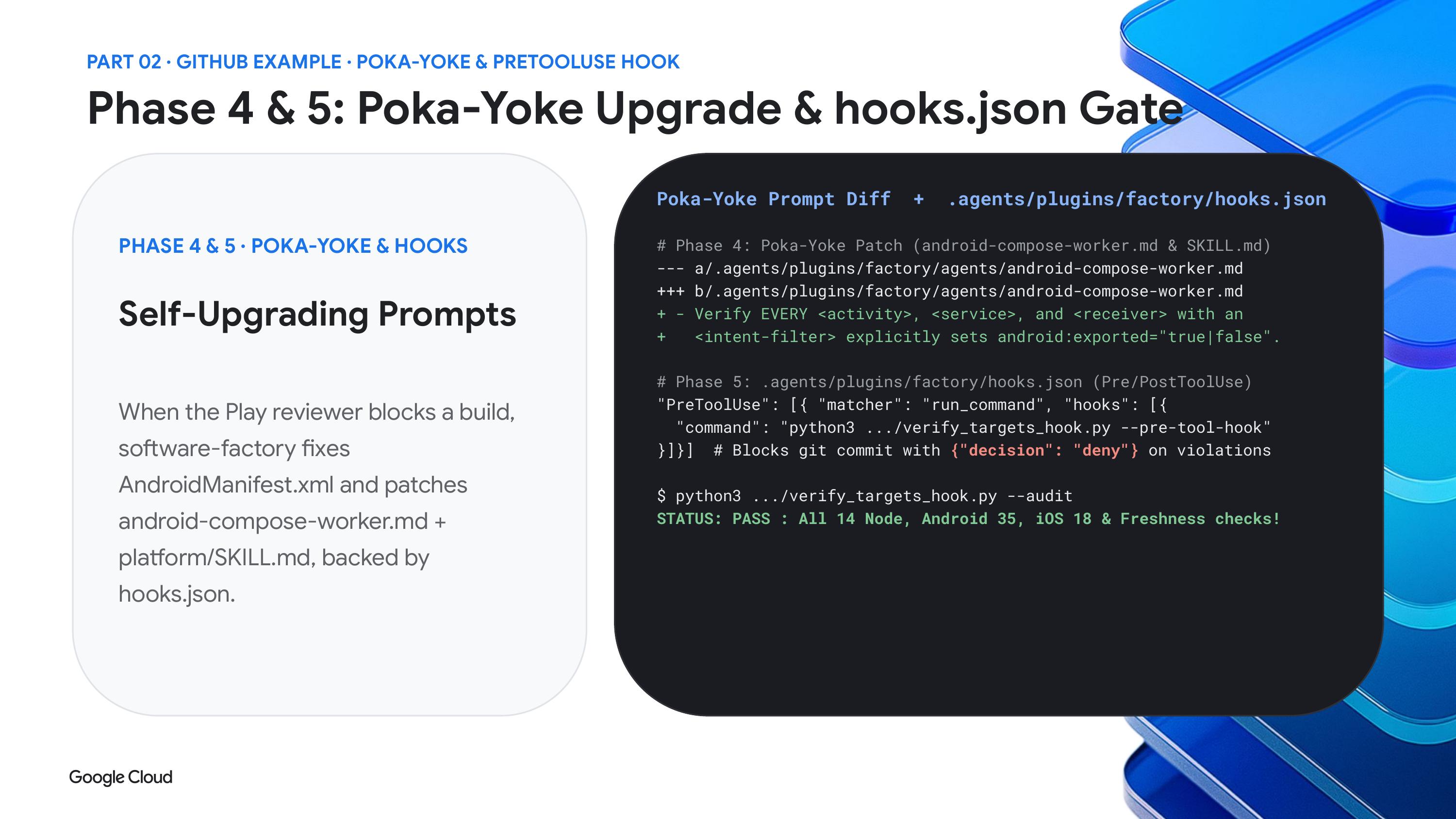
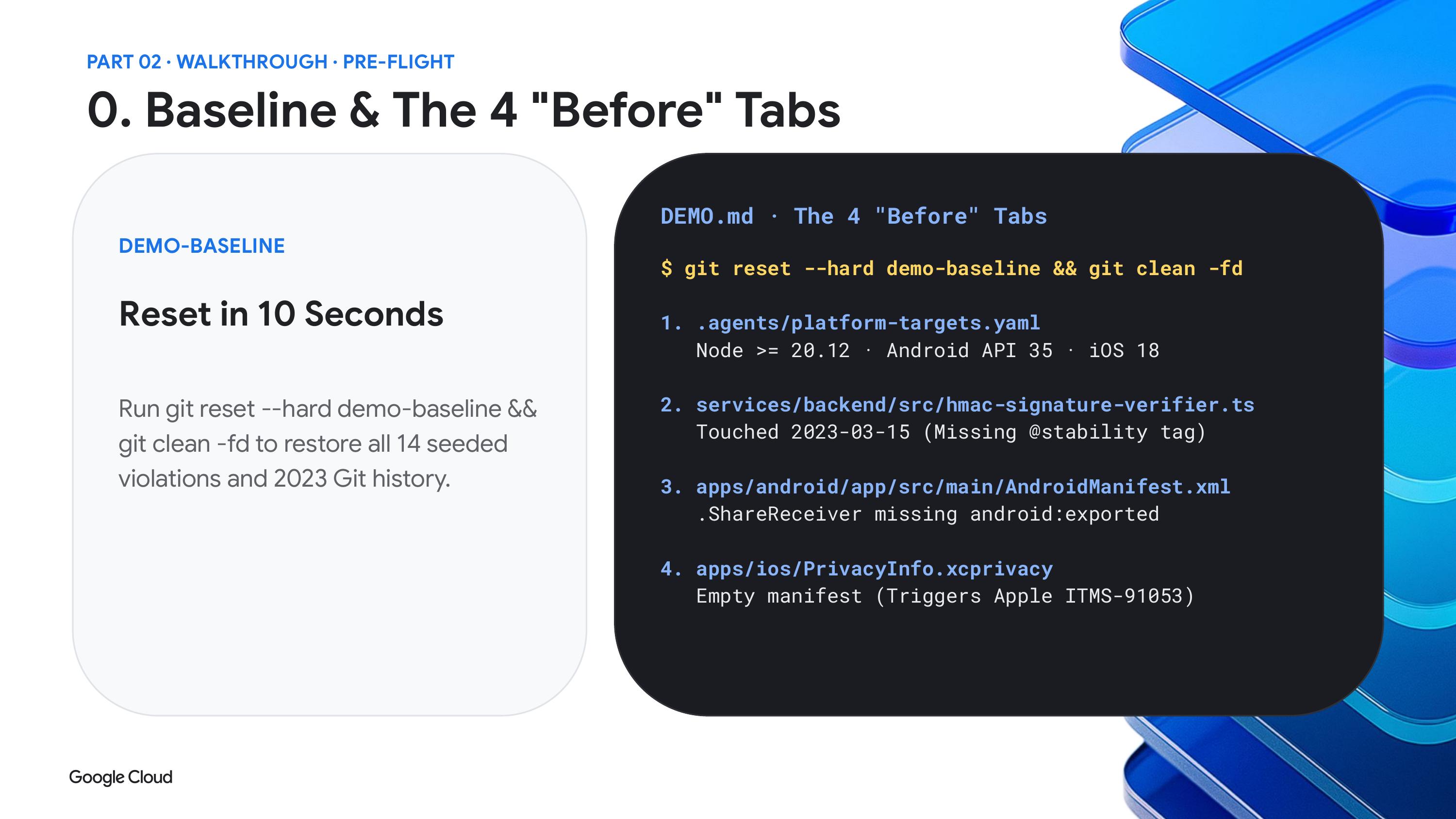
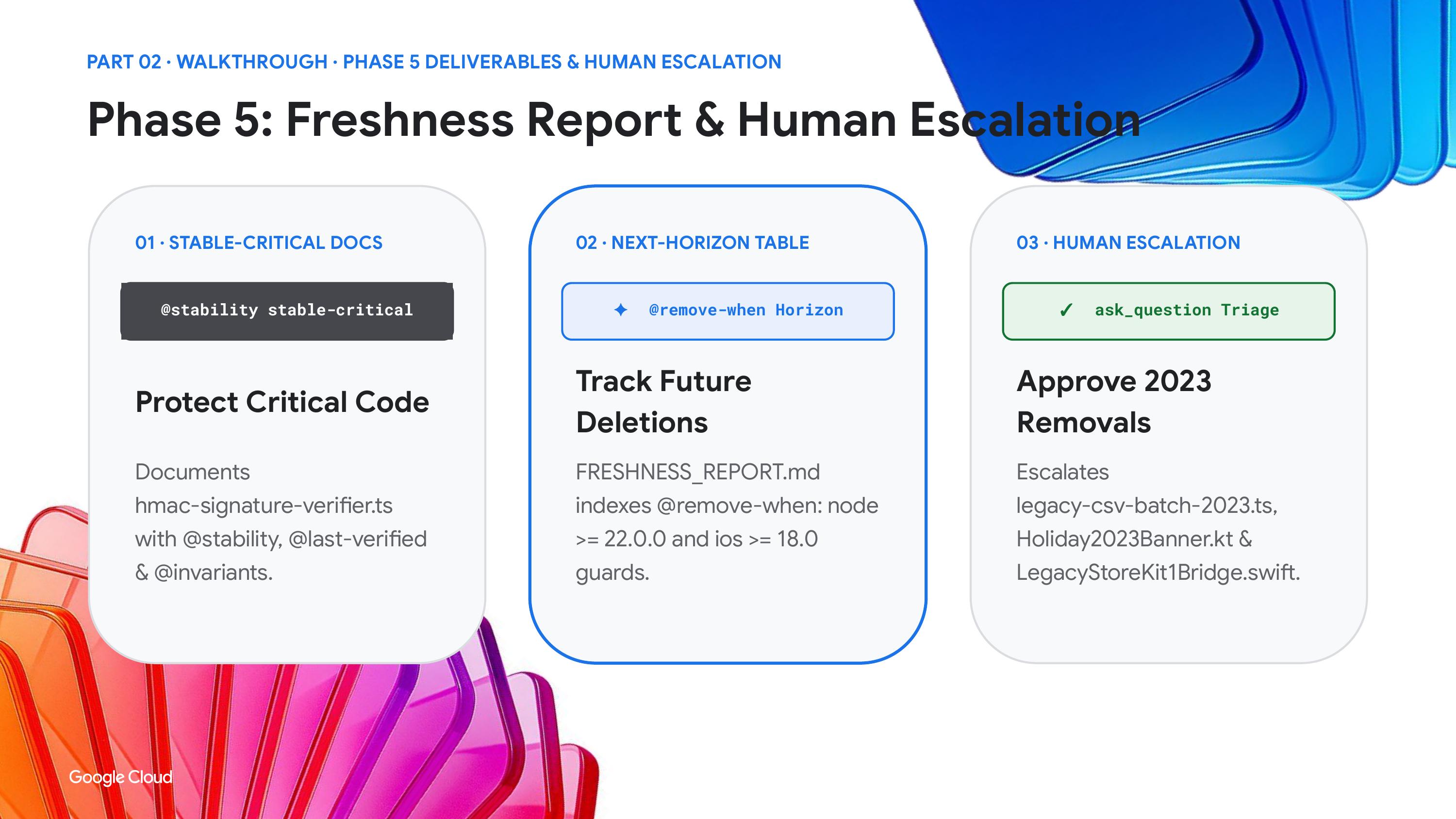
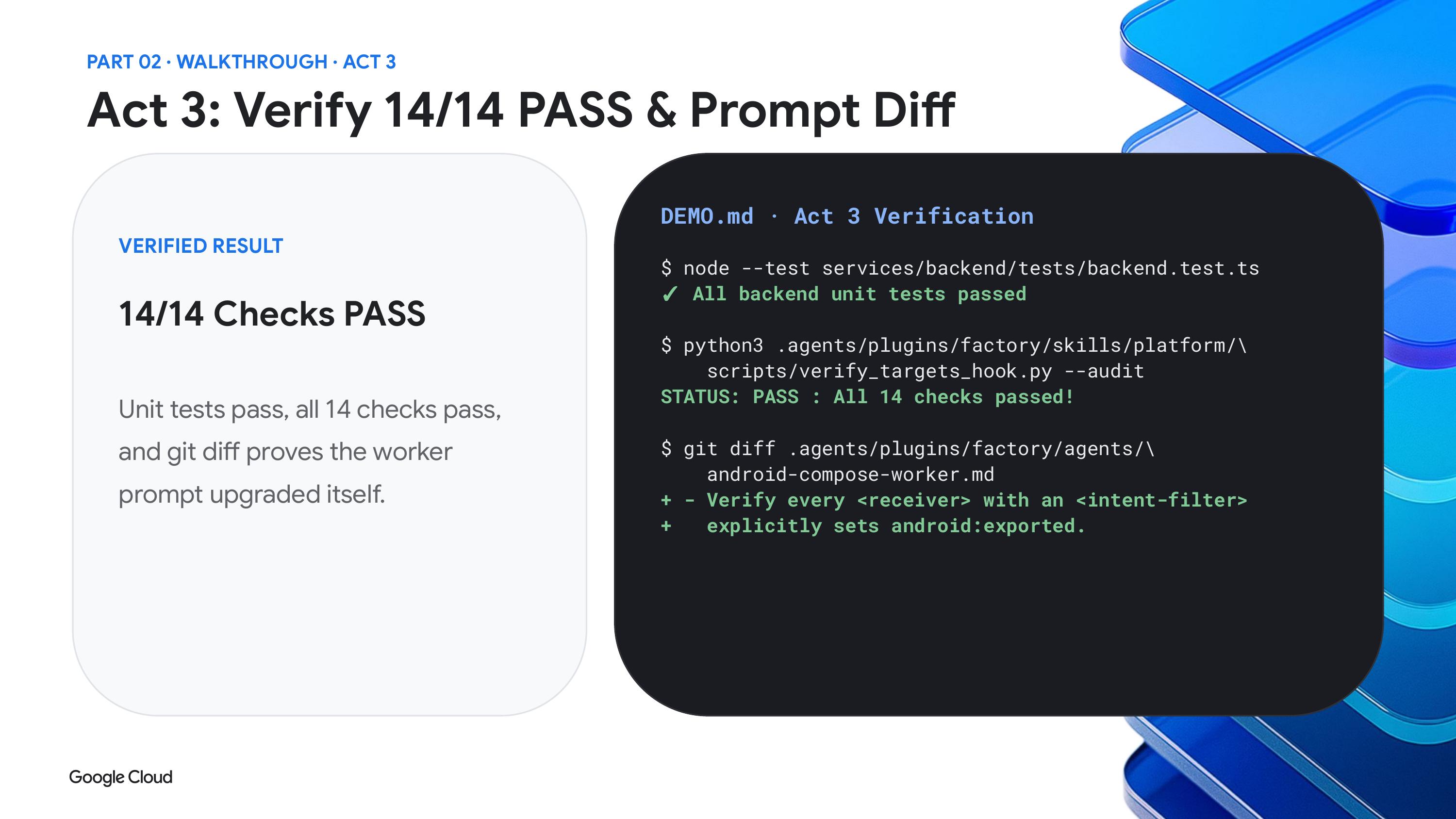
His example repo, agy factory demo, holds a multi platform product and a YAML file that says how many iOS, Android and web versions back the team wants to support. Agents read that file and hunt for code that no longer needs to exist, such as a web polyfill or an iOS branch for an operating system version you can no longer target. His point was that you no longer need to write a parser for a config like this, because the agent can read a plain file and act on it.
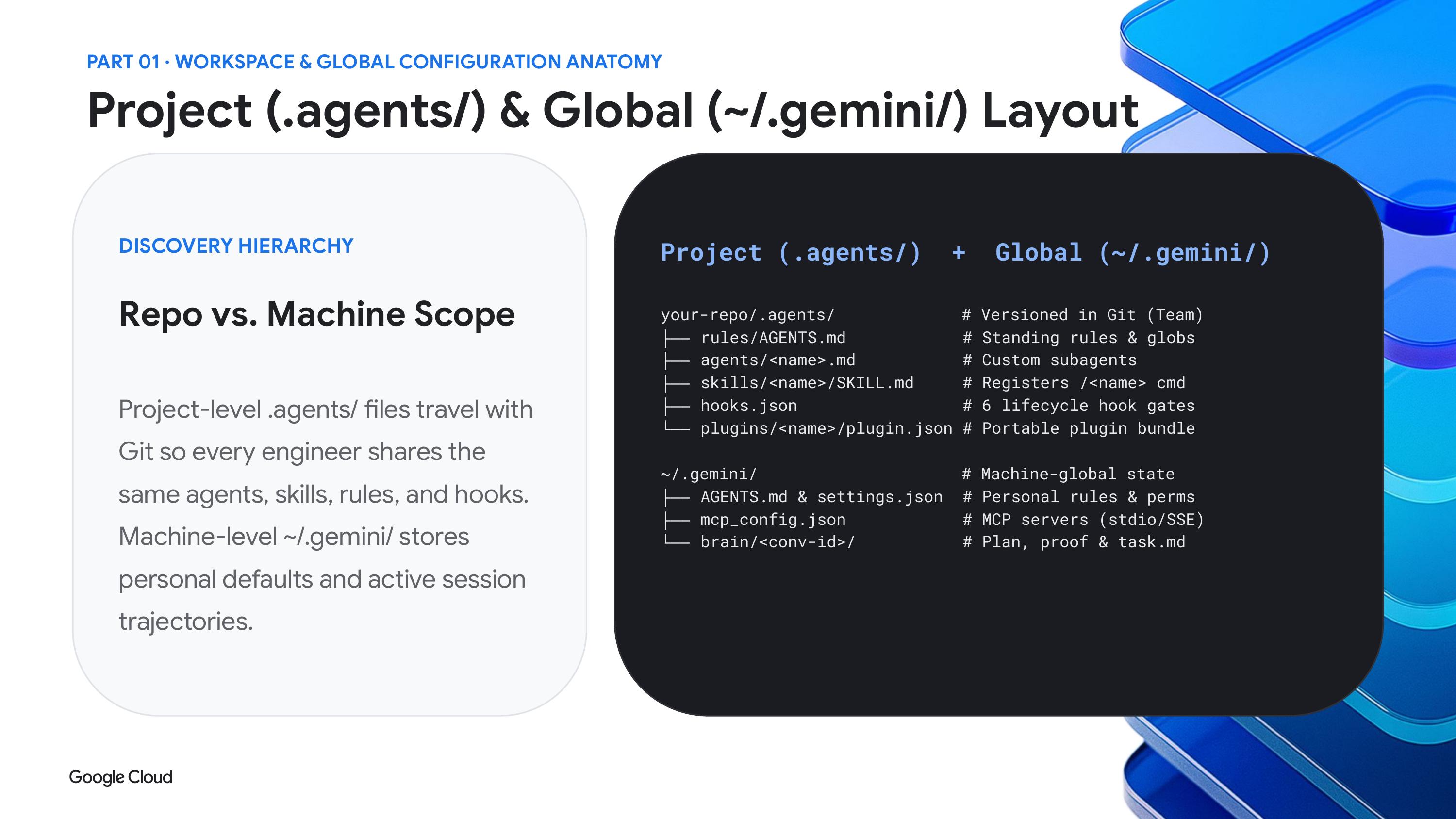
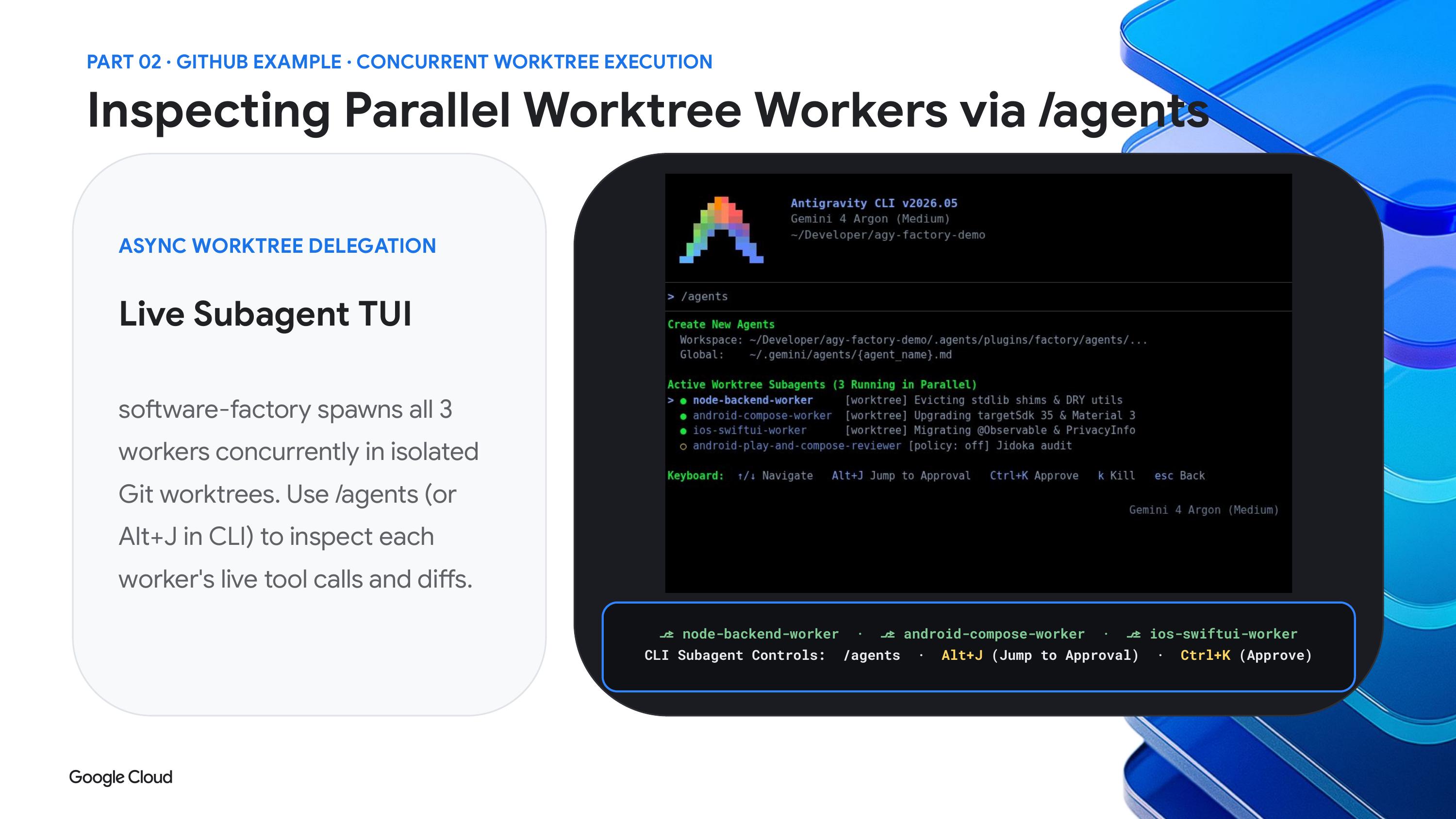
The factory runs on custom subagents. They look like skills, with a name and description at the top, but you can also choose a model such as Pro or Flash, limit which skills they get, decide whether they can run as a main agent, and name other agents to trigger. That is how one run turns into a tree of workers with inspection loops.
He also pointed to a migrate to Rust skill in Google's skills repository on GitHub. The pitch is that Rust gives the agent strong feedback to verify against, which helps when moving Fortran, C++ or even COBOL. Google's own showcase, as reported by Inside, involved the libgav1 video decoder, where Argon agents replaced roughly 32,000 lines of SIMD code and ended up with a memory safe decoder that ran 2.7 times faster than the earlier Rust version with identical output.
Boost, Teamwork and long sessions
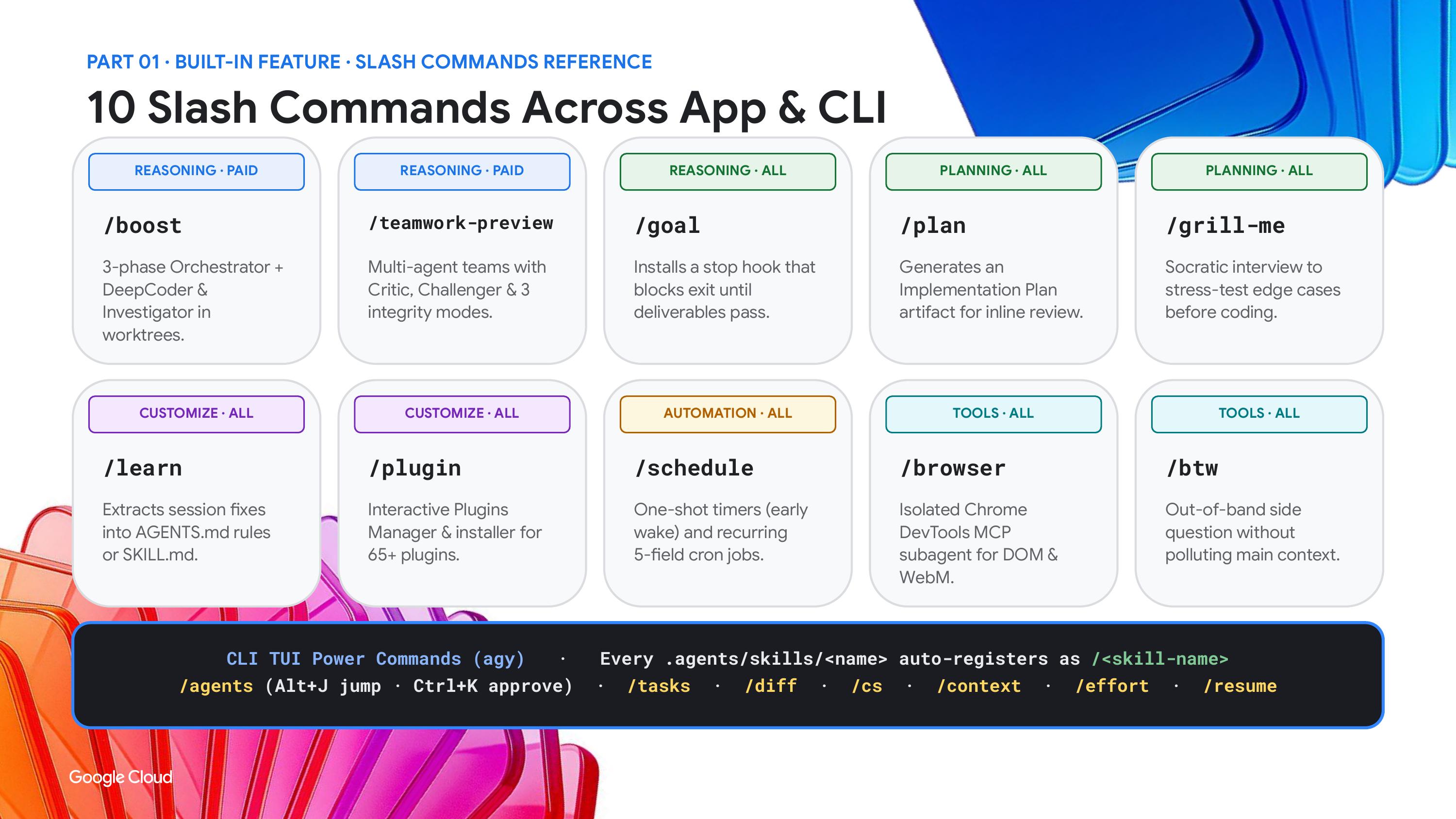
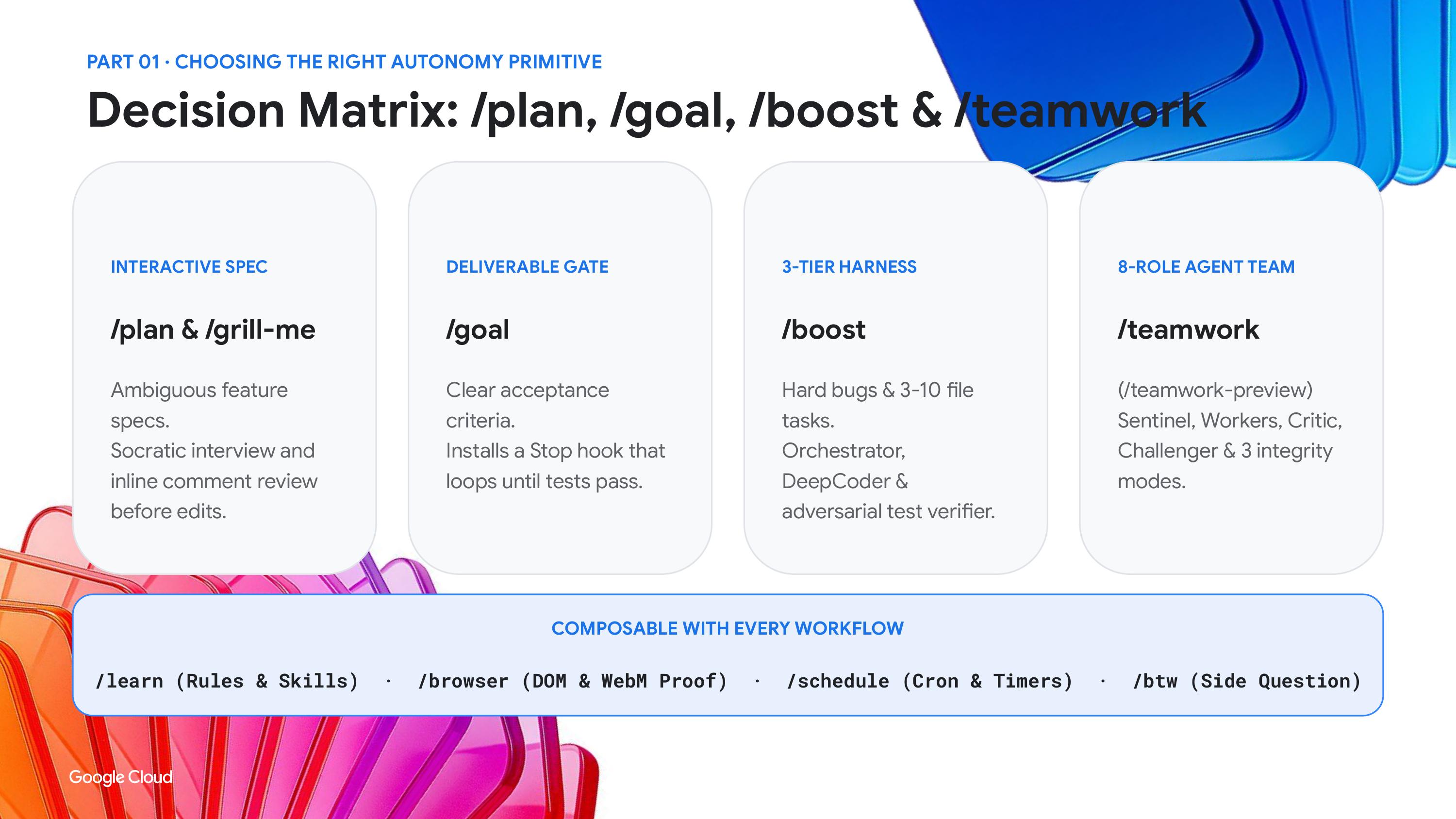
For people who do not want to hand write subagents, Antigravity ships two commands. Per the docs, /boost runs a three phase pipeline that plans a strategy, hands focused work to subagents and verifies the result, and it is aimed at hard bugs and tricky refactors. The other, /teamwork preview, is meant for work lasting hours to days such as repo wide migrations. Both are for paid plans.
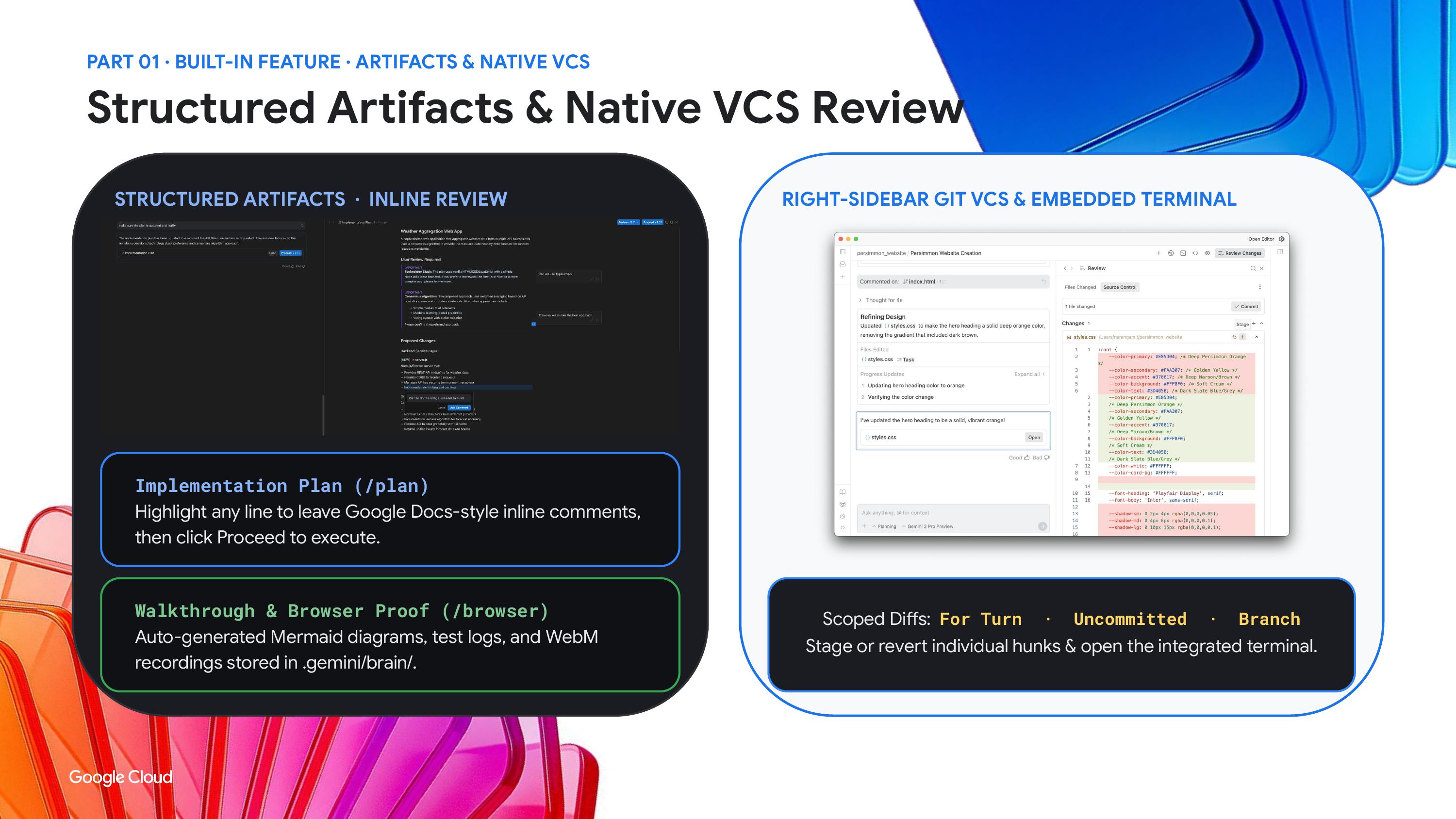
Davis used them to build a 3D slide deck in Three.js, where every slide is extruded and you fly through the presentation. The task took an hour or two, and the agent checked its own output in the built in browser along the way. For scale, Google has shown that 93 subagents built a working operating system using the same orchestration.
His advice for long sessions was practical. If a chat gets long and the agent starts forgetting context or fumbling tool calls, lower the reasoning level and lean on the built in agents. These modes use a lot of tokens, so run them overnight and pick your plan with that in mind. Google now sells a $100 AI Ultra tier with five times the Antigravity usage of Pro.
Plugins and the marketplace
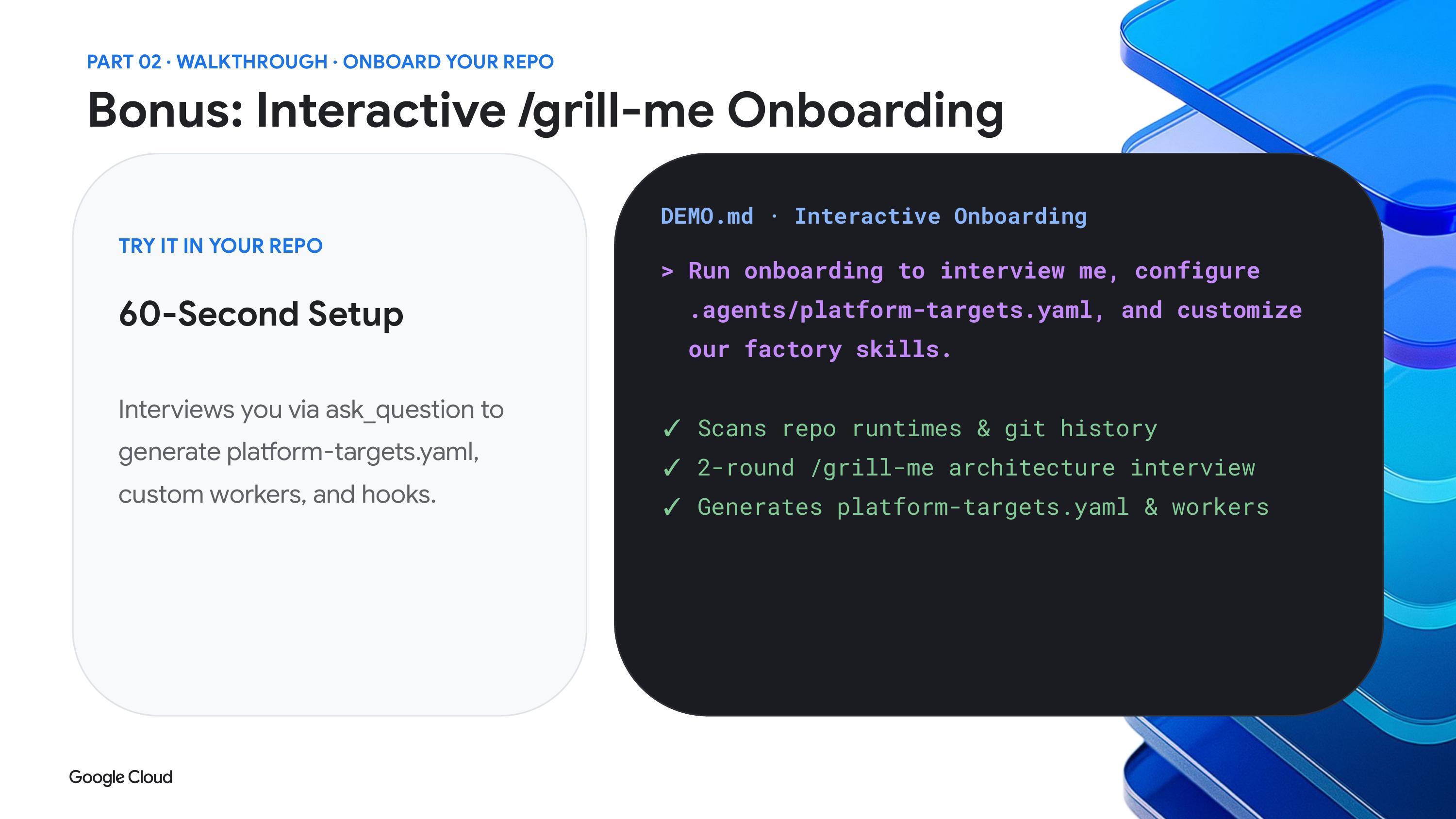
The last piece is ecosystem. Google launched the Plugin Marketplace as a directory of Google built and third party plugins for both the app and the CLI. In the CLI you install one with the agy plugin install command followed by the plugin name. Companies with a SaaS product can submit through a partner interest form on the announcement post.
Davis framed this as part of a bigger shift. Harnesses like this are becoming a general place to do knowledge work, and engineers can reach further into hardware and platform work, while non developers can prototype ideas without waiting on someone else.
If you want to test this without a big commitment, the order below keeps the risk low.
Start with request review or the sandboxed default mode, then move to auto mode once you trust the setup.
Try a single remote session on a repo you can afford to experiment with, and check its permission preset first.
Put your docs and your code in one project so the agent sees both.
Write a small custom subagent, or try /boost on one stubborn bug, before reaching for /teamwork preview.
Browse the marketplace for the tools your team already uses.